Google Pixel smartphones are known for their clean Android experience, timely software updates, and advanced AI-powered features. Besides these well-known capabilities, Pixel devices also include several hidden secret codes, often called USSD codes, dialer codes, or engineering codes, that can provide access to device information, hardware diagnostics, and testing menus.
Unlike many Android manufacturers, Google has significantly reduced the number of engineering codes available on modern Pixel phones for security and privacy reasons. As a result, many websites still publish outdated Android secret codes that no longer work on Pixel devices. This often leads to confusion, especially for users looking for genuine diagnostic tools.
This guide focuses on verified and authentic Google Pixel secret codes that are known to work on supported Pixel devices. Every code included here has been checked against official Google documentation, Android behavior, or verified device testing. We also explain which older Android codes are no longer supported so you can avoid wasting time trying unsupported combinations.
Whether you’re troubleshooting hardware issues, checking your IMEI, testing network information, or verifying a used Pixel phone before purchase, this guide provides everything you need in one place.
What Are Google Pixel Secret Codes?
Google Pixel secret codes are special combinations of numbers, symbols, and asterisks entered in the Phone app’s dialer. When recognized by the device, these codes automatically launch hidden menus or display technical information.
Depending on the code, you can:
- View your IMEI number
- Run built-in hardware diagnostics
- Access Android testing menus
- Check battery and network information
- Display SAR (radiation) information
- Verify hardware after a repair
- Troubleshoot common hardware problems
Unlike apps from the Play Store, these codes access features built directly into Android or Google’s Pixel software.
Are Google Pixel Secret Codes Safe?
Yes—most verified secret codes are completely safe because they only display information or run diagnostic tests without changing your phone’s settings.
For example:
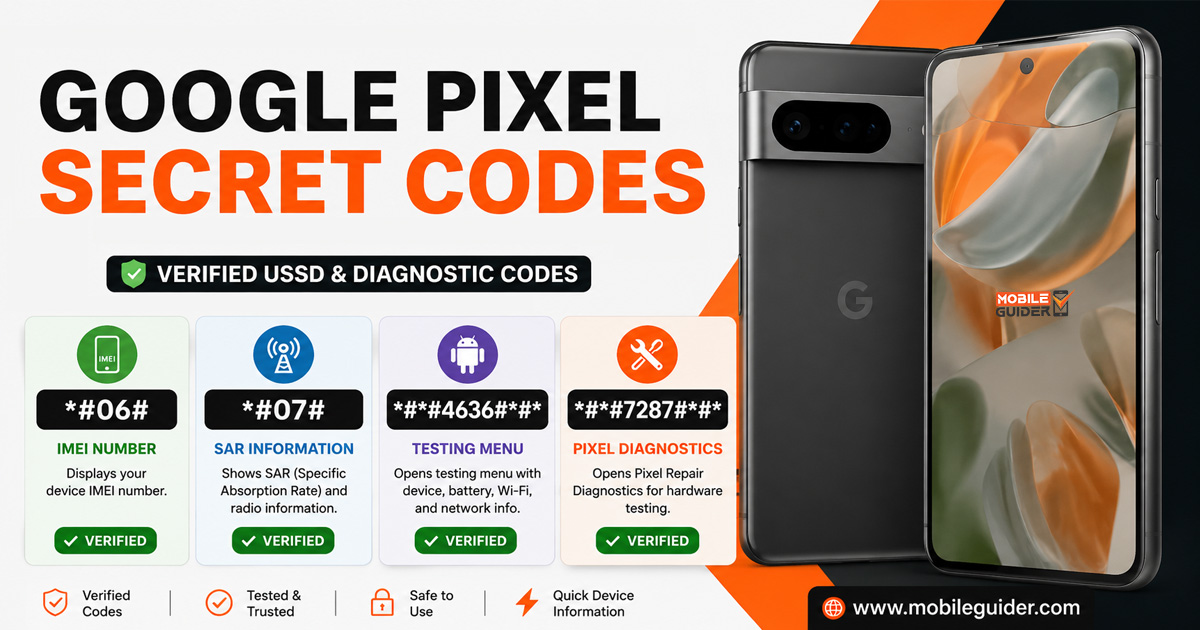
*#06#simply displays your IMEI number.*#07#shows SAR information.*#*#7287#*#*opens Google’s hardware diagnostics.
However, avoid websites that recommend unknown factory reset or engineering codes. Many of those codes were designed for older Android devices or other manufacturers and either no longer work on Pixel phones or may perform actions you don’t intend on non-Pixel devices.
Verified Google Pixel Secret Codes
The following codes are currently the most reliable and verified for Google Pixel smartphones.
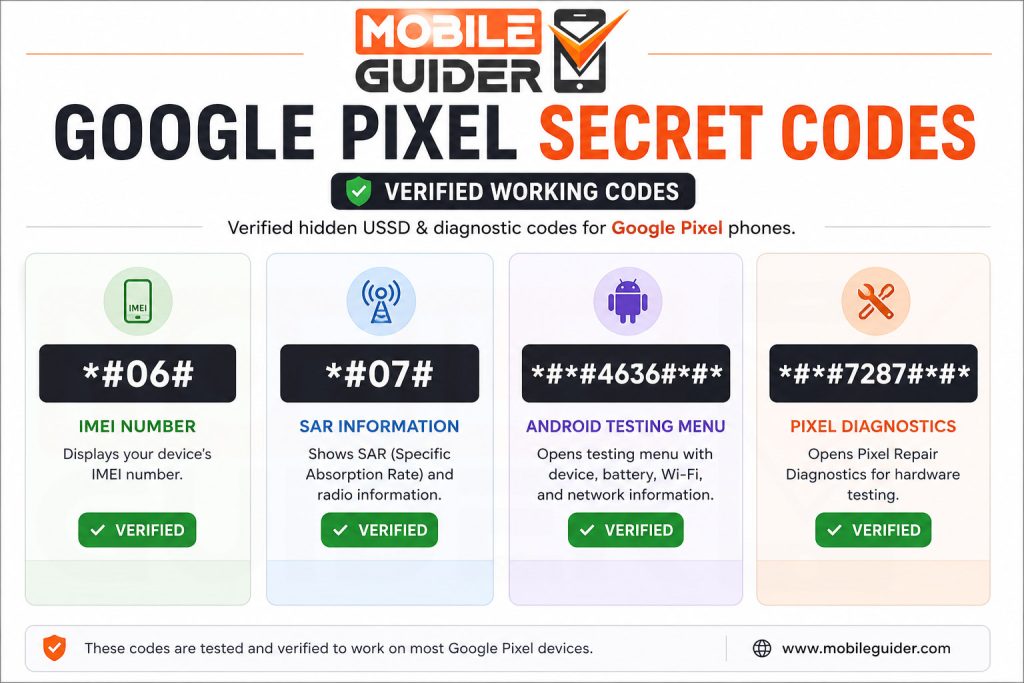
| Secret Code | Function | Status |
|---|---|---|
*#*#7287#*#* | Pixel Repair Diagnostics | ✅ Verified |
*#06# | Display IMEI Number | ✅ Verified |
*#07# | Display SAR Information | ✅ Verified (Supported Models) |
*#*#4636#*#* | Android Testing Menu | ✅ Partially Supported |
Note: Availability may vary depending on your Android version, Pixel model, and mobile carrier. Google occasionally restricts certain diagnostic features through software updates.
1. Google Pixel Hardware Diagnostics Code
Secret Code:
*#*#7287#*#*Status:
✅ Official Google Pixel Diagnostics
What Does This Code Do?
This is Google’s official Pixel Repair Diagnostics code. It opens a dedicated hardware testing environment that helps users and repair technicians verify whether important phone components are functioning correctly.
Unlike generic Android engineering menus, this diagnostics suite is specifically designed for Google Pixel devices.
After entering the code, your Pixel automatically opens the built-in diagnostic interface, where you can perform either a complete hardware inspection or individual component tests.
Components You Can Test
Depending on your Pixel model, you may be able to test:
- OLED display
- Touchscreen responsiveness
- Multi-touch functionality
- Front camera
- Rear cameras
- Autofocus
- Camera flash
- Speakers
- Stereo audio
- Main microphone
- Secondary microphone
- Vibration motor
- Fingerprint sensor
- Face Unlock sensors (supported models)
- Proximity sensor
- Ambient light sensor
- Accelerometer
- Gyroscope
- Magnetometer
- GPS
- Wi-Fi
- Bluetooth
- NFC
- USB charging
- Battery charging
- SIM card detection
- Physical buttons
- Haptic feedback
When Should You Use It?
The diagnostics tool is especially useful if:
- Your touchscreen is not responding properly.
- The speaker sounds distorted.
- The camera won’t focus.
- Wi-Fi disconnects frequently.
- Bluetooth isn’t pairing correctly.
- Sensors stop working.
- Your phone was recently repaired.
- You’re purchasing a second-hand Google Pixel device.
Running a complete diagnostic test can quickly identify whether a problem is caused by hardware or software.
Is It Safe?
Yes.
This diagnostic suite only checks your hardware and does not erase data, modify settings, or affect your files.
2. IMEI Number Code
Secret Code:
*#06#Status:
✅ Verified
What is an IMEI Number?
The International Mobile Equipment Identity (IMEI) is a unique identification number assigned to every mobile phone.
Your Pixel’s IMEI can be used to:
- Verify device authenticity
- Register your phone
- Check warranty eligibility
- Report a stolen device
- Confirm compatibility with mobile carriers
- Unlock carrier services
After entering the code, your Pixel instantly displays its IMEI information without requiring an internet connection.
Why is the IMEI Important?
You should always verify the IMEI before purchasing a used Pixel phone.
Compare the displayed IMEI with:
- The retail box
- SIM tray (supported models)
- Settings → About Phone
If the numbers don’t match, the phone may have been repaired using unofficial components or could be counterfeit.
3. Android Testing Menu
Secret Code:
*#*#4636#*#*Status:
✅ Partially Supported
What Does It Do?
This hidden Android menu provides technical information about your device.
Depending on your Android version, it may include:
- Phone Information
- Battery Information
- Usage Statistics
- Wi-Fi Information
- Mobile Network Information
- Signal Strength
- Carrier Details
- Preferred Network Type
- Cellular Radio Information
On newer Pixel phones, Google has restricted some options for security reasons. If the code doesn’t open anything, your software version may no longer support this menu.
4. SAR Information Code
Secret Code:
*#07#Status:
✅ Verified (Supported Devices)
What Is SAR?
SAR (Specific Absorption Rate) measures the amount of radio-frequency energy absorbed by the human body while using a mobile phone.
Entering this code displays the SAR information for supported Pixel devices, allowing users to view the certified radiation values published for their model.
Supported Google Pixel Models
The verified secret codes in this guide are applicable to supported models, including:
- Google Pixel 3
- Google Pixel 3 XL
- Google Pixel 3a
- Google Pixel 3a XL
- Google Pixel 4
- Google Pixel 4 XL
- Google Pixel 4a
- Google Pixel 4a (5G)
- Google Pixel 5
- Google Pixel 5a
- Google Pixel 6
- Google Pixel 6 Pro
- Google Pixel 6a
- Google Pixel 7
- Google Pixel 7 Pro
- Google Pixel 7a
- Google Pixel Fold
- Google Pixel Tablet
- Google Pixel 8
- Google Pixel 8 Pro
- Google Pixel 8a
- Google Pixel 9
- Google Pixel 9 Pro
- Google Pixel 9 Pro XL
- Google Pixel 9 Pro Fold
- Google Pixel 9a
- Google Pixel 10
- Google Pixel 10 Pro
- Google Pixel 10 Pro XL
- Google Pixel 10 Pro Fold (if available in your region)
Why Do Many Secret Codes No Longer Work?
Older Android phones from manufacturers like Samsung, HTC, LG, Sony, and Motorola exposed many engineering menus through dialer codes. Google has gradually removed or restricted many of these on Pixel devices to improve security, reduce accidental misuse, and prevent unauthorized access to sensitive system functions.
As a result, many lists found online contain generic Android code that either does nothing on modern Pixel phones or is never officially supported by Google.